




How the Co-parenting app works
The app is designed based on children's daily lives and research on factors that promote good collaboration regarding them.
Get started with 3 easy steps!
Create an account
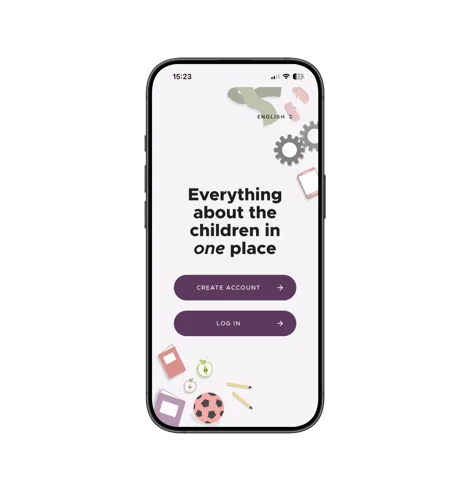
Download the app and create your account quickly and easily.
Set up the basics
Create a schedule and let AI import the child's times and activities for you.
Invite
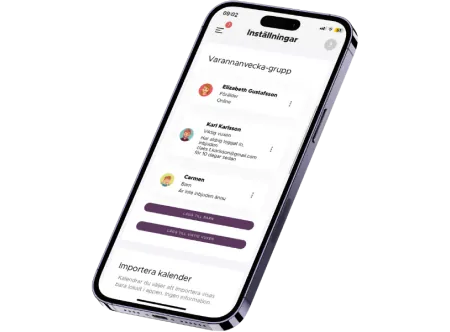
Invite the co-parent or another important adult to your group.
The turning point came when we found the Co-parenting app. There's less arguing and both of us have a better handle on things. It's great!
Peter Skoog, Co-parenting user

Sync with your calendar
The app provides the framework for good planning. School holidays and public holidays are automatically added based on where you live. Additionally, information is automatically updated for everyone when you make changes. And of course, you can sync with your calendar!
Read how the AI turns photos, emails and school newsletters into events: The Family Calendar That Fills Itself In.
One subscription for the child's entire family
The subscription includes everyone in the child's family who has an account in the app.
Parents, children, and important adults all have their own accounts on their mobile devices, which they control themselves. The account is free and linked to a subscription paid for by one or both parents.

Support and knowledge when you need it
Do you have questions about co-parenting and separation? No problem!
Chat with our support team for free in the app. In the knowledge library our experts write about separation, co-parenting, finances and how children react. The focus is always on what’s best for the children.
Frequently Asked Questions
What does the app cost?
One subscription covers your whole family: USD 8.99, GBP 6.99, EUR 8.49, CAD 9.99 or SEK 89 per month.
You pay through the App Store or Google Play, and the exact amount in your own currency is shown before you confirm. There is no higher tier to buy – every feature is included.
Do both parents have to pay?
No. One subscription covers both parents, the children and every other important adult around them. Only one person pays, and it can be either of you.
If you would rather share the cost, you can split it between you in the Finance Assistant.
My co-parent refuses to use the app – is there any point in me signing up?
Yes. Set it up and learn your way around it so it is ready when they change their mind, and send a fresh invitation when the moment is better.
In the meantime, invite another important adult – a grandparent, a sibling, a close friend – and start using it with them. It is common for a hesitant co-parent to join once they see that other adults are already there.
It is also worth telling them it costs them nothing. One subscription covers you both, so joining does not put them out of pocket.
What can my co-parent see, and what stays private?
You choose, item by item. Every chat thread and every event you create has its own setting for who can see it, so you can share a football match with the grandparents and keep something else between the two of you.
The Finance Assistant and the change requests are the exception: those are visible to the parents only, never to the children or the other adults you have invited.
Can we make voice or video calls?
Yes. Calls made in the app are recorded, stored and logged alongside the rest of your history, so there is a record of what was said.
Can we export our chat history and our agreements?
Yes. Chat logs and change requests can both be exported as a verifiable PDF – a file that carries proof it has not been edited afterwards.
It is yours to keep, to archive, or to hand to a lawyer or a mediator.